


By Solar Africa On 15-11-2026 at 9:59 pm
CCTV That Keeps Recording During Blackouts in Kenya
Most CCTV in Kenya does not fail because the cameras are poor. It fails at 9pm when KPLC goes off, the router and recorder go dark, and the cameras watch nothing. Thieves know this. A short outage is often all the cover they need.
This guide explains why that happens, how much backup power a camera set actually draws, and how to build a small, honest setup that keeps recording quietly through the night. You can follow most of it even if you buy nothing.
Why most CCTV dies during a blackout
Three things usually go dark at once:
- The cameras, if they run on mains power.
- The DVR or NVR recorder, which is where footage is stored.
- The router, without which WiFi cameras cannot send or store anything remotely.
Many people back up only the cameras, or only the router. If the recorder is dead, you get a livestream you cannot review later. If the router is dead, app-based cameras go offline even when they have power.
There is a second, quieter failure: the system comes back on after the outage but nobody checks it. The recorder clock resets, the router needs a restart, or the battery is flat by morning. The cameras are on the wall, but nothing is being saved.
What you need
- A clear list of every device that must stay on: cameras, recorder, router, and the monitor if you use one.
- The wattage of each device, from its label or manual.
- A 12V battery and a suitable inverter, or a camera with its own battery and solar.
- A safe, ventilated place for the battery, away from children and water.
- A monthly test routine.
Work out the real load first
Backup power is sized in watts and watt-hours. Add up the devices you want to keep alive, then multiply by the hours you expect an outage to last.
Typical figures to guide you, not exact ratings:
| Device | Approximate draw |
|---|---|
| WiFi router | 10–15W |
| DVR/NVR recorder | 20–40W |
| Bulb-style WiFi camera | 5–10W each |
| Standard bullet/dome camera | 5–8W each |
Example: four cameras (about 30W), a recorder (30W) and a router (12W) come to roughly 72W. Over eight hours that is about 580Wh. A 12V 100Ah battery holds roughly 1,200Wh in theory, but you should only use about half of it regularly, so around 600Wh is realistic. That is a sensible match for one night.
Remember that inverters are not perfectly efficient. Add about 15–20% headroom. And never load an inverter near its limit: a 300W inverter should carry maybe 200–250W of steady load.
Option one: a small inverter and battery
This is the simplest and cheapest route if you already have cameras and a recorder. You keep the existing kit and add a battery, an inverter, and a changeover method so the devices switch to backup when mains fails.
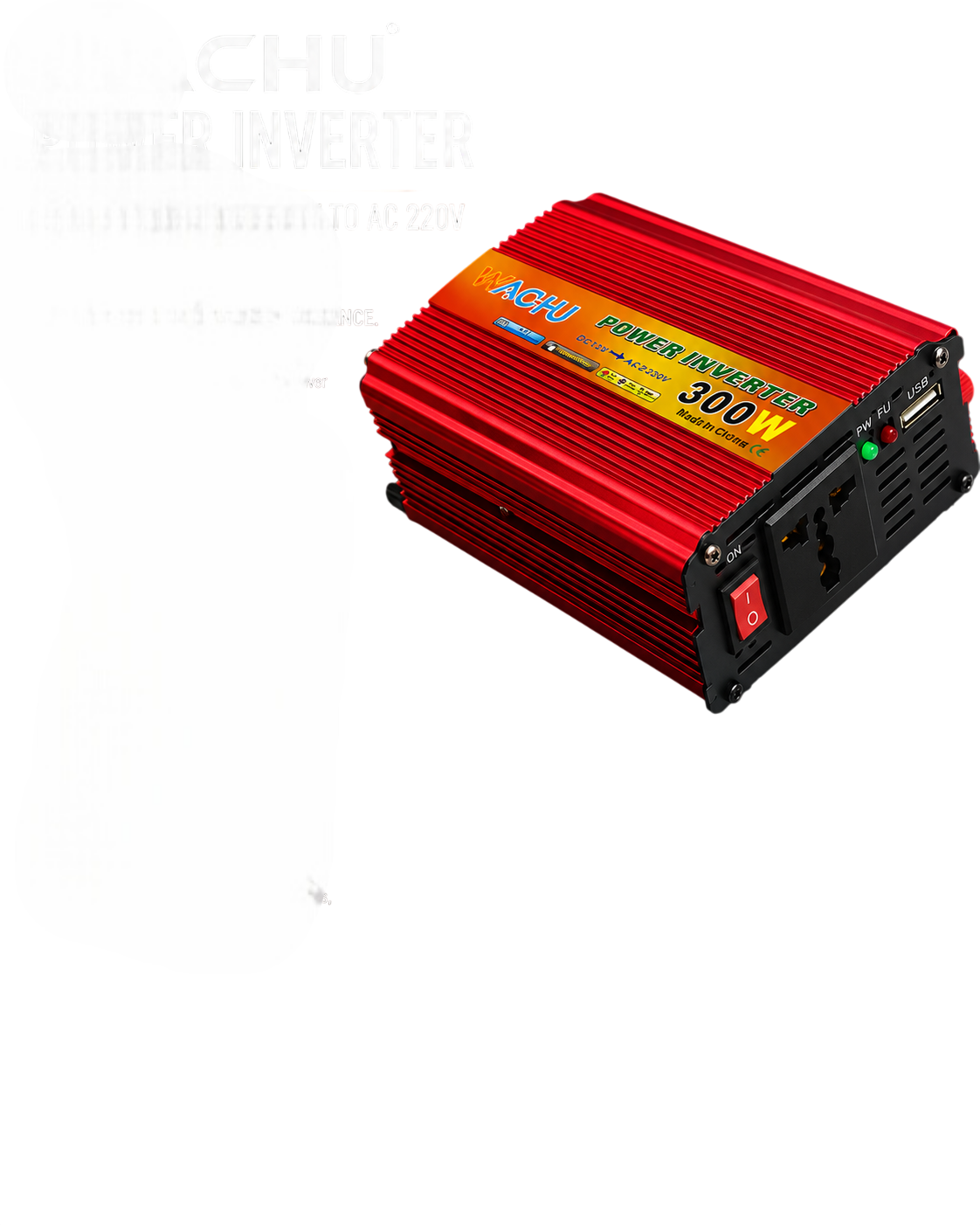
A compact inverter such as the Pure Sine Wave 300W Power Inverter gives clean pure sine output, which suits routers and recorders better than modified sine. It is a 300W unit, so it will comfortably run a router and a small recorder, or a few low-power cameras — not a pump, fridge or kettle.
For the battery, match capacity to your overnight figure. The 12V 150Ah/10Hr Deep Cycle Solar Battery is a 12V 150Ah deep-cycle battery, which gives useful headroom for a larger camera count or longer outages. For a very small setup — say a router and one or two cameras for a few hours — a smaller battery such as the Ritar 12V 9Ah VRLA Rechargeable Battery is enough. It is a sealed, maintenance-free 12V 9Ah unit, so do not expect it to carry eight cameras all night.
If you also want lighting during outages, a bundled kit can make sense. The 100Ah Yachu Solar Power Kit with 300W Inverter, 30A Charge Controller pairs a 100Ah battery, a 300W inverter, a charge controller and LED bulbs, so one system covers cameras, router and lights. Its 300W inverter is the ceiling: keep the combined load modest.
Option two: solar-assisted backup
If outages are long or frequent, a battery alone will eventually run flat and stay flat. Solar panels top the battery up during the day, so the system recovers on its own.
Add a panel sized to your daily consumption plus a margin. A 60W panel such as the 60w Solar Panel 18v Monocrystalline Solar Panel is a reasonable trickle top-up for a small inverter-battery CCTV setup in good sun. Larger arrays suit bigger loads. Panels must face the sun and be kept clean; shaded panels produce far less than their rating.
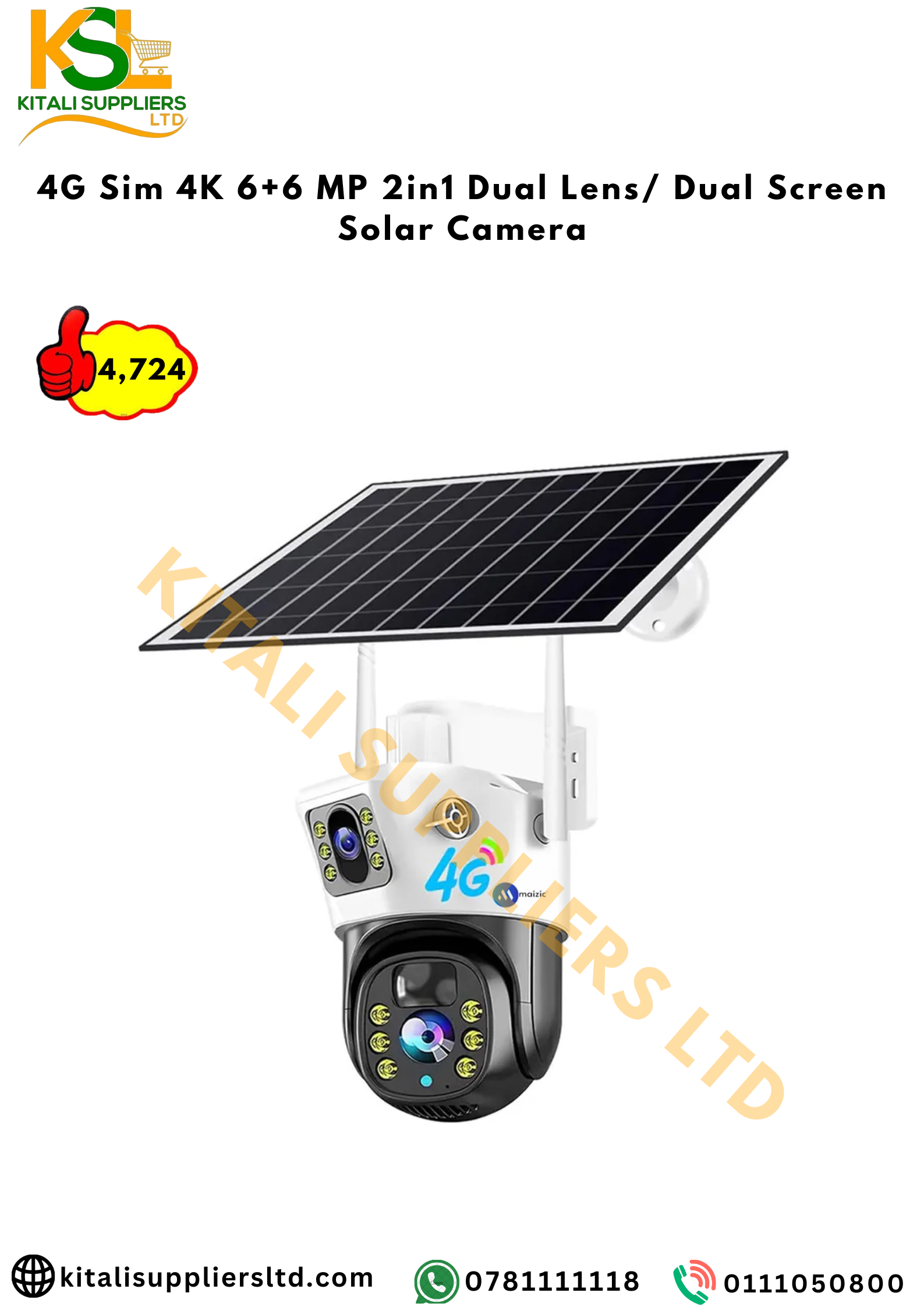
For sites with no reliable mains at all — a farm gate, a plot far from the house — a self-contained camera with its own solar panel and battery avoids the whole inverter calculation. The 4G Solar CCTV Camera is a 4G solar camera with WiFi and SIM support and memory cards included, designed for outdoor use where power and internet are unreliable. It is one camera, not a whole system, so plan coverage carefully.
Protect the recorder and router, not just the cameras
This is the mistake that undoes most setups. A camera with power but no recorder stores nothing. Put the recorder and router on the backup circuit first, then add cameras as capacity allows.
- Keep the router on backup — it is small and it keeps remote viewing and alerts alive.
- Set the recorder to overwrite oldest footage so a long outage does not fill the disk.
- Use a small UPS on the recorder if you want a clean shutdown when the battery finally runs out.
Common mistakes
- Oversizing the inverter, undersizing the battery. A big inverter with a small battery dies in an hour.
- Ignoring the router. WiFi cameras are useless offline.
- Running the battery flat every night. Deep discharge shortens life quickly.
- Cheap modified sine inverters on sensitive recorders. They can cause buzzing or faults.
- No test. A system that was never tested in a real outage is a guess.
Maintenance and safety
Batteries need care. Keep them in a ventilated space, upright, away from water and children, and never short the terminals. Use fuses on battery cables. Do not mix old and new batteries. Check terminals for corrosion every few months.
Clean camera lenses and panel glass. Check that recorder timestamps are correct after an outage. Replace a battery that no longer holds its usual runtime; they do not last forever.
Once a month, switch off the mains for ten minutes and confirm the cameras, recorder and router all stay up. That single habit catches most failures before a thief does.
Frequently asked questions
How long can a CCTV system run on a battery during a blackout?
It depends on your total load and battery size. A 12V 100Ah battery used to about half its capacity can typically carry a router, recorder and a few cameras for several hours, but you should calculate from your own device wattages.
Do I need to back up my router as well as the cameras?
Yes. WiFi cameras need the router to send footage and alerts, and app-based systems go offline without it. Put the router on backup power alongside the recorder.
Can a small inverter run my CCTV and fridge during an outage?
No. Small inverters in the 300W class are meant for routers, recorders, lights and small electronics. Fridges, kettles and pumps draw far more and need a much larger system.
Products in this guide
- Pure Sine Wave 300W Power Inverter
- 12V 150Ah/10Hr Deep Cycle Solar Battery
- Ritar 12V 9Ah VRLA Rechargeable Battery
- 100Ah Yachu Solar Power Kit with 300W Inverter, 30A Charge Controller
Prices and stock change often; open each product for today's price.

Author
Solar Africa
Related posts