


By Solar Africa On 14-11-2026 at 3:19 pm
How Many CCTV Cameras for a Shop or Home in Kenya?
Planning your first CCTV system can feel like a guessing game. How many cameras are enough? Where do they go? And what happens when KPLC power goes off? This guide walks you through it, step by step, without the sales talk.
Start with your risk points, not the shop shelf
Don't start by counting cameras. Start by walking around your home or shop and noting the places where a security gap would hurt most. For most Kenyan homes and small shops, those points look like this:
- Gate and driveway – who comes in and out, and what vehicles arrive.
- Shop till or counter – the cash area, where disputes or theft happen.
- Back door or service entrance – the quiet way in for staff or intruders.
- Store or stockroom – where goods disappear.
- Parking or yard – vehicles, motorbikes, deliveries.
Each of these is a camera point. A small shop might have three or four; a home with a compound might have four to six. You do not need to cover every square metre – just the paths and doorways that matter.
What you need (checklist)
- A clear list of your risk points (above).
- Cameras that suit each point: outdoor models for weather, indoor for the till or stockroom.
- Night vision on any camera that must see after dark.
- A way to power the cameras when the mains fail – battery or solar backup.
- A recorder or app to store and view footage.
- Basic tools and someone comfortable mounting cameras safely.
- A plan for where cables run and how they are protected.
How many cameras do you actually need?
Use this rough rule: one camera per risk point, plus maybe one extra if a single camera can cover two adjacent points (for example, a wide-angle camera covering both the gate and the driveway). For a typical small shop in Kenya, three to five cameras is a sensible starting point. For a home with a compound, four to six. Do not overbuy – extra cameras add cabling, storage and maintenance work.
Here is a simple sizing table to help you decide:
| Premises | Typical risk points | Suggested camera count |
|---|---|---|
| Small shop (single room) | Till, entrance, stock | 2–3 |
| Shop with back door | Till, entrance, back door, stock | 3–4 |
| Home with gate | Gate, front door, back door, parking | 4–5 |
| Home with shop attached | All above plus till | 5–6 |
These are starting figures. Walk your property at different times of day and adjust.
Picking the right type for each spot
Outdoor cameras
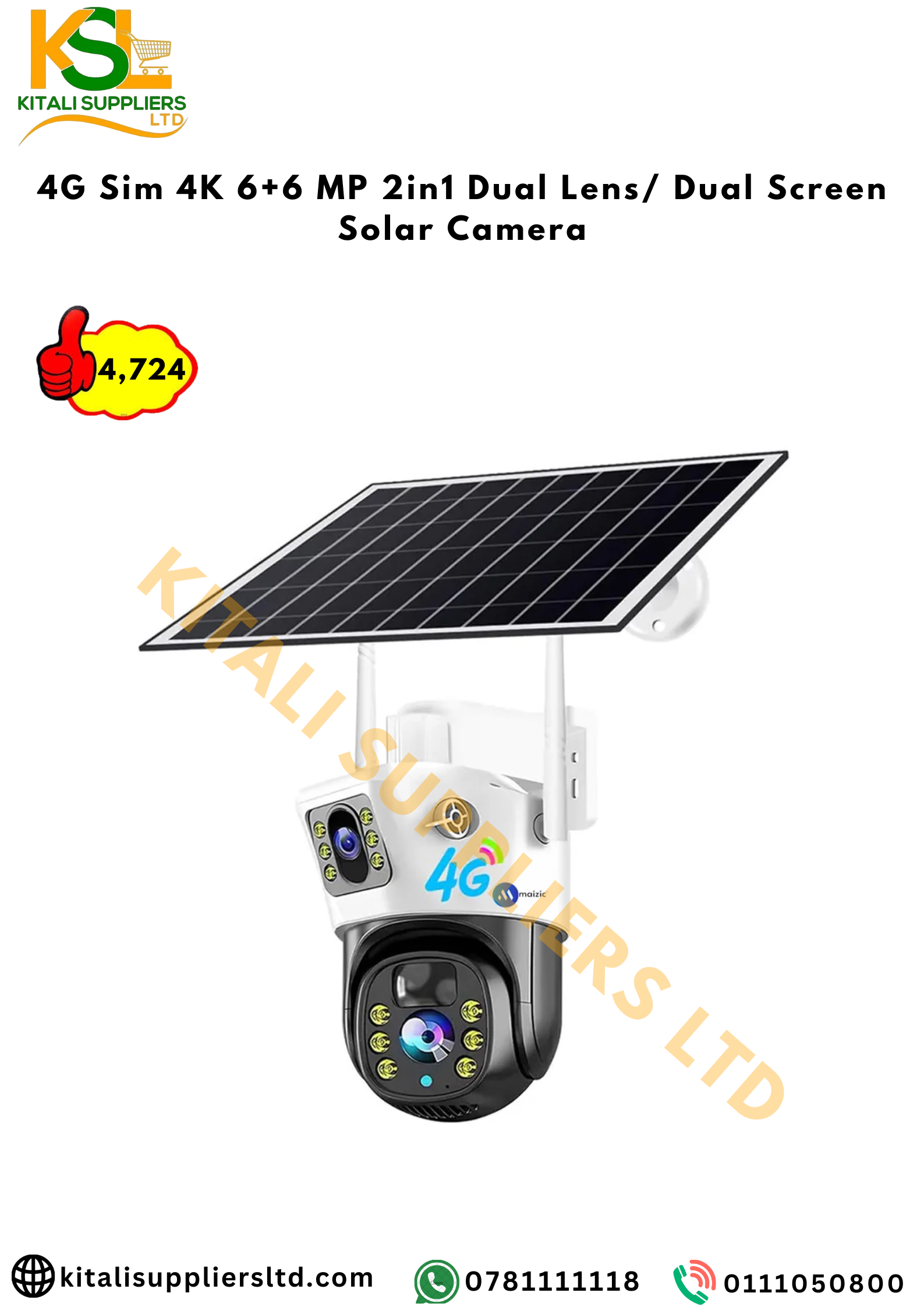
Outdoor cameras need to be weatherproof and have night vision. If you have no reliable WiFi or mains power at the gate or in the yard, a 4G solar camera solves both problems. The SmartVision 4G SIM 4K 6+6MP Dual-Lens Solar Security Camera is a dual-lens 4G solar camera that works without WiFi and runs on solar, so it can watch a gate or parking area where cables are hard to run. It provides night vision and motion detection, and you can view footage on your phone. For a home or shop with one or two remote risk points, one or two of these can cover the outside while wired cameras handle the inside.
Indoor cameras
For the till, stockroom or a small shop’s single room, an indoor WiFi camera is often enough – as long as you have power and internet. The SmartEye™ 2MP Bulb Surveillance Camera is a bulb-style camera that screws into a standard light socket, giving 360° coverage and full-colour night vision. It is discreet, which helps in a shop where you don’t want cameras to be obvious. Use it to watch the till or the stock shelf, not as an outdoor camera.
Where to mount cameras (and where not to)
- Gate: Mount at least 2.5–3 metres high, angled down to capture faces and vehicle number plates. Avoid pointing directly into the sun.
- Till: Place the camera behind the counter, looking at the customer and cash area. Keep it out of easy reach.
- Back door: Cover the door and the path leading to it. A motion-triggered light nearby helps.
- Parking: Use a wide-angle camera to cover the whole area. If you have a long drive, two cameras may be better than one.
- Stockroom: Mount near the ceiling, covering the door and shelves.
Do not mount cameras where they stare directly at a bright light or the sun, and avoid pointing them at neighbours’ windows – it causes disputes and is poor practice.
Keeping the system running when power goes out
This is the part many people forget. A CCTV system that dies during a blackout is useless when you need it most. The cameras themselves may have their own battery (like the solar camera above), but your recorder, router and monitor need backup power too.
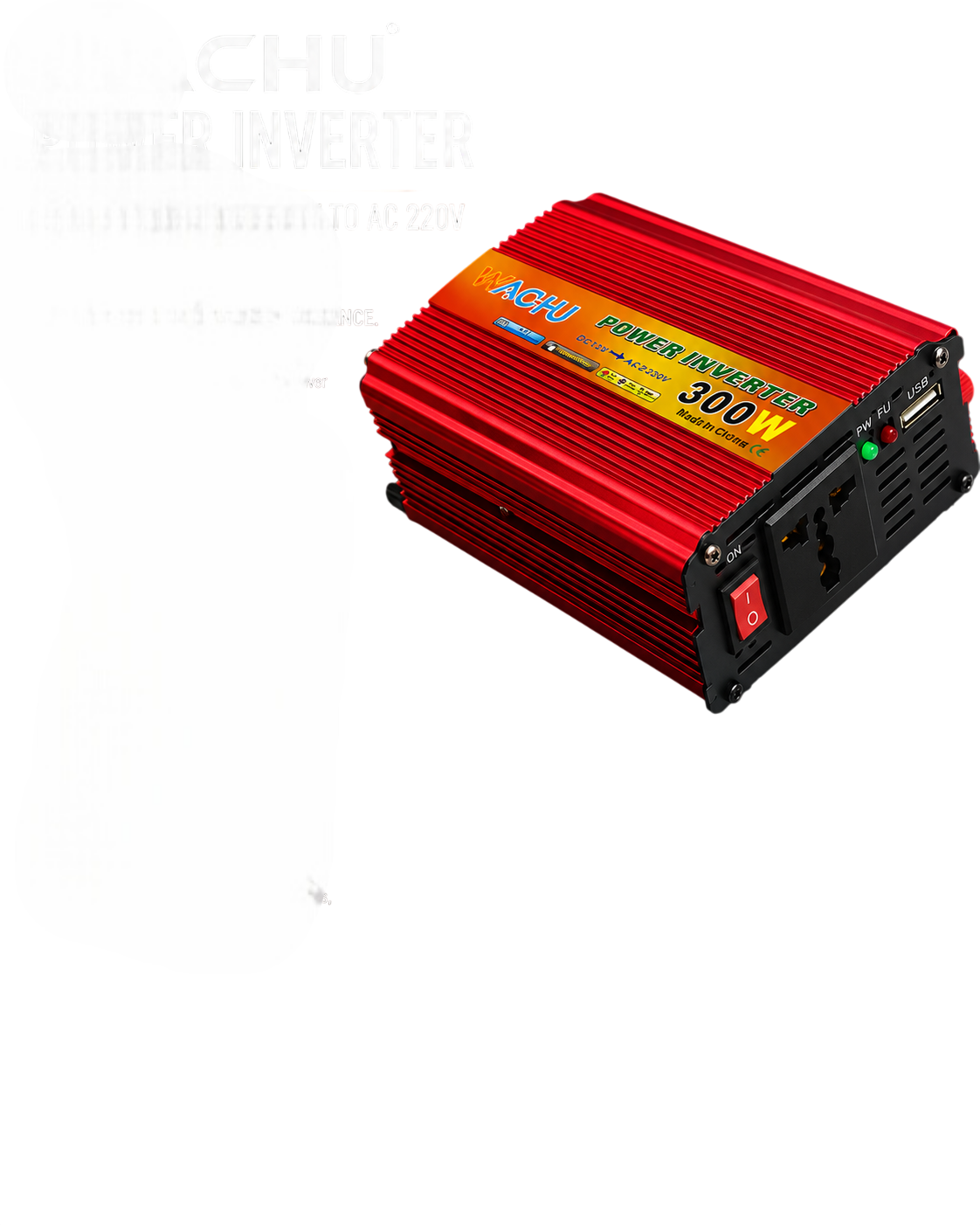
Work out the total wattage of your recorder, router and any monitor. A typical recorder might draw 20–40W, a router 10–15W, a small monitor 20–30W. Add them up, then choose an inverter and battery that can run that load for a few hours. For a small setup, the Pure Sine Wave 300W Power Inverter pure sine wave 300W inverter can run sensitive electronics safely from a 12V battery. Pair it with a deep-cycle battery such as the Ritar 12V 9Ah VRLA Rechargeable Battery 12V 9Ah VRLA battery for short outages, or a larger battery if you need longer runtime. A 9Ah battery will not run a big load for long, so do the maths: a 50W total load on a 12V 9Ah battery gives roughly one hour of usable power (battery capacity ÷ load, allowing for inefficiency). For longer backup, step up to a 100Ah battery and a suitable panel to recharge it.
If your cameras are wired and rely on mains power, you will need to put them on the same backup supply, or choose cameras with their own battery and solar, like the 4G solar model mentioned earlier.
Common mistakes to avoid
- Buying cameras before listing your risk points – you end up with gaps.
- Mounting too high or too low – faces become unrecognisable.
- Forgetting night vision – a camera that sees nothing after dark is half useless.
- Ignoring power backup – see above.
- Using indoor cameras outdoors – they fail in rain and dust.
- Skipping cable protection – exposed cables are easy to cut.
Maintenance and safety
Clean camera lenses every few months with a soft cloth. Check that solar panels are not shaded and that batteries are charging. Test the system by walking past each camera and confirming you can see yourself clearly. For safety, use proper mounting brackets, avoid drilling into hidden wires, and if you are not confident on a ladder or with electrical work, hire a qualified technician. Keep recordings for at least a week – storage fills up faster than you think.
With a clear plan, a modest number of cameras placed at your real risk points, and a small backup power setup, you can keep an eye on your home or shop without overspending.
Frequently asked questions
How many CCTV cameras do I need for a small shop in Kenya?
Most small shops need three to four cameras: one at the till, one at the entrance, one at the back door or stockroom, and optionally one covering the outside. Start with your risk points and add only if needed.
Where should I mount CCTV cameras at home?
Mount them at the gate (2.5–3m high, angled down), front door, back door and parking area. Avoid pointing at the sun or neighbours’ windows, and make sure each camera has night vision if the area is dark.
How do I keep CCTV recording during a blackout?
Use a battery-backed inverter to power your recorder and router, or choose cameras with their own battery and solar. Calculate the total wattage of your equipment and size the battery to give you at least a few hours of runtime.
Products in this guide
- SmartVision 4G SIM 4K 6+6MP Dual-Lens Solar Security Camera
- SmartEye™ 2MP Bulb Surveillance Camera
- Pure Sine Wave 300W Power Inverter
- Ritar 12V 9Ah VRLA Rechargeable Battery
Prices and stock change often; open each product for today's price.

Author
Solar Africa
Related posts